
Every Tool Is Adding AI — But Few Make It Useful
Vol. 16: Because stickers don’t change workflows

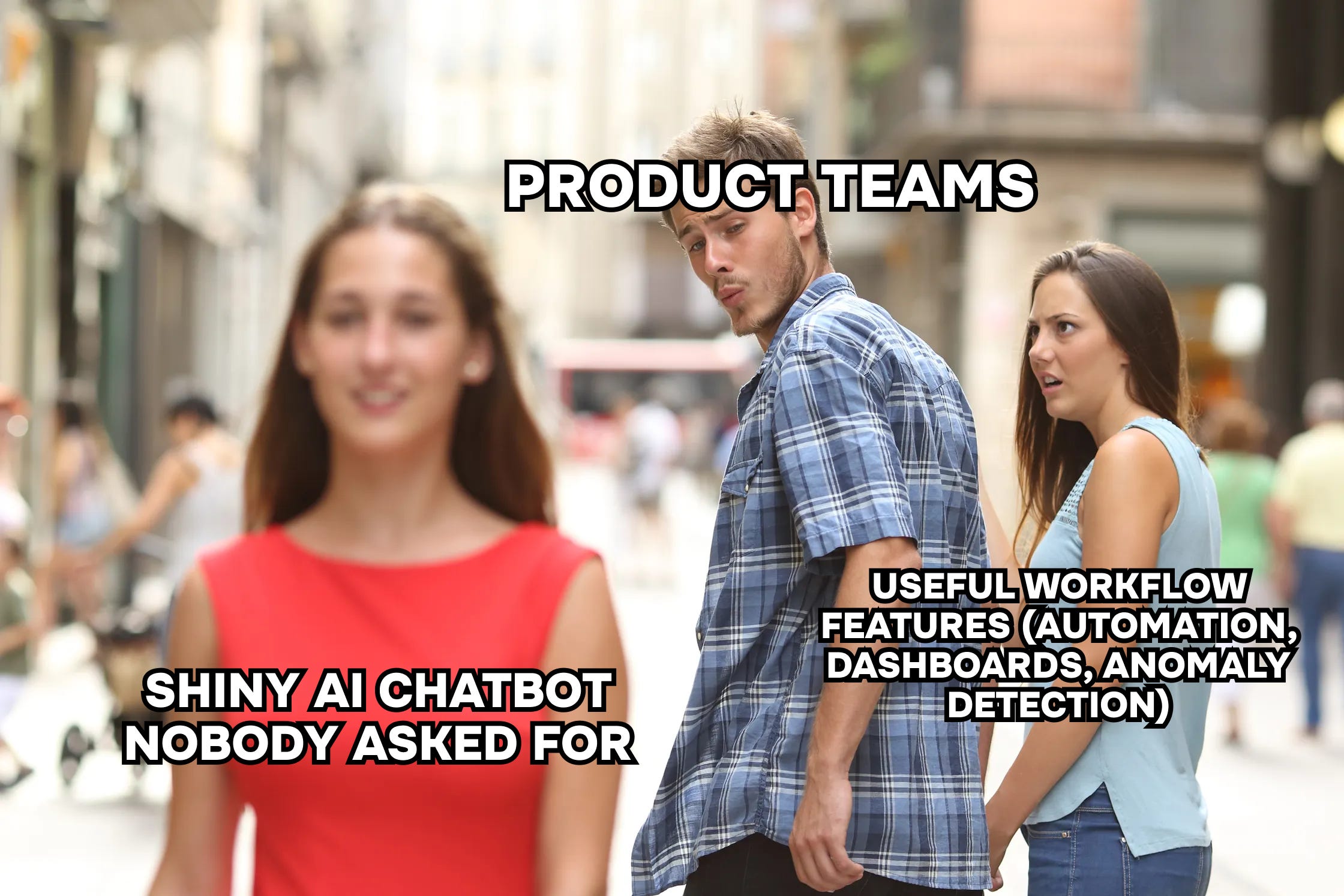
Welcome back to The Datapreneur — the newsletter where we strip away the corporate theater, get real about what works, and turn data into decisions that actually move businesses forward.
This week we’re talking about AI.
TL;DR
AI is everywhere in tools right now — but most of it is decoration.
A useful AI feature is one that:
Embeds into workflows (not another chat window you’ll abandon after a week)
Speeds up iteration without replacing domain expertise
Delivers contextual, trustworthy insights instantly, not generic summaries
Until then, most “AI features” are stickers, not solutions.
Why companies add AI everywhere
It’s 2025. Every product announcement has an “AI feature” slapped on like a badge of honor.
Email clients draft emails for you.
Notion promises to answer your questions about documents.
Slack can summarize your endless threads.
And 9 times out of 10… it’s not useful.
But let’s be fair: there’s a reason this is happening.
AI looks good in PR. A press release that says “AI-enabled” sounds more innovative than “bug fixes and performance improvements.”
It helps with fundraising. Investors love to see “AI strategy” in a pitch deck — even if the feature doesn’t move the needle for users.
It makes products feel modern. Even a half-baked chatbot makes a tool look like it belongs in 2025, not 2015.
I don’t blame these companies. Nobody wants to be seen as lagging in the “AI race.” And in fairness, we’re all still searching for the killer use case.
But the reality today? Most AI features are checkboxes. They look great in screenshots, they make it into release notes, but they don’t fundamentally change how you work.
What useful AI would look like in analytics
Imagine this:
A business user asks a question in plain English — “Which campaigns brought us the most profitable customers last quarter?”
The system not only pulls the right chart but highlights the key patterns: “Google Ads drove higher CAC but also higher LTV, while Meta drove cheap signups that churned within 30 days.”
The response is grounded in the company’s actual domain logic and data models.
No SQL queries. No analyst bottlenecks. No guessing. Just fast, contextual insights that leadership can trust.
That’s the dream.
But here’s the catch: you can’t just connect GPT to a warehouse and expect magic. Without governance, metadata, and domain knowledge baked in, you’ll get hallucinations. Random joins. Charts that look convincing but answer the wrong question.
The difference between “toy” and “tool” is context. AI in analytics only becomes useful when it’s aware of business definitions, not just column names.
Where AI is actually helping today
Here’s where I see real value right now: acceleration, not automation.
Two tools stand out for us: Cursor and Lovable
With Cursor, we’ve cut development cycles from weeks to days.
Our Upwork Dashboard? Built in 2 days instead of 2 weeks.
A newborn metrics dashboard MVP? Spun up in a single weekend.
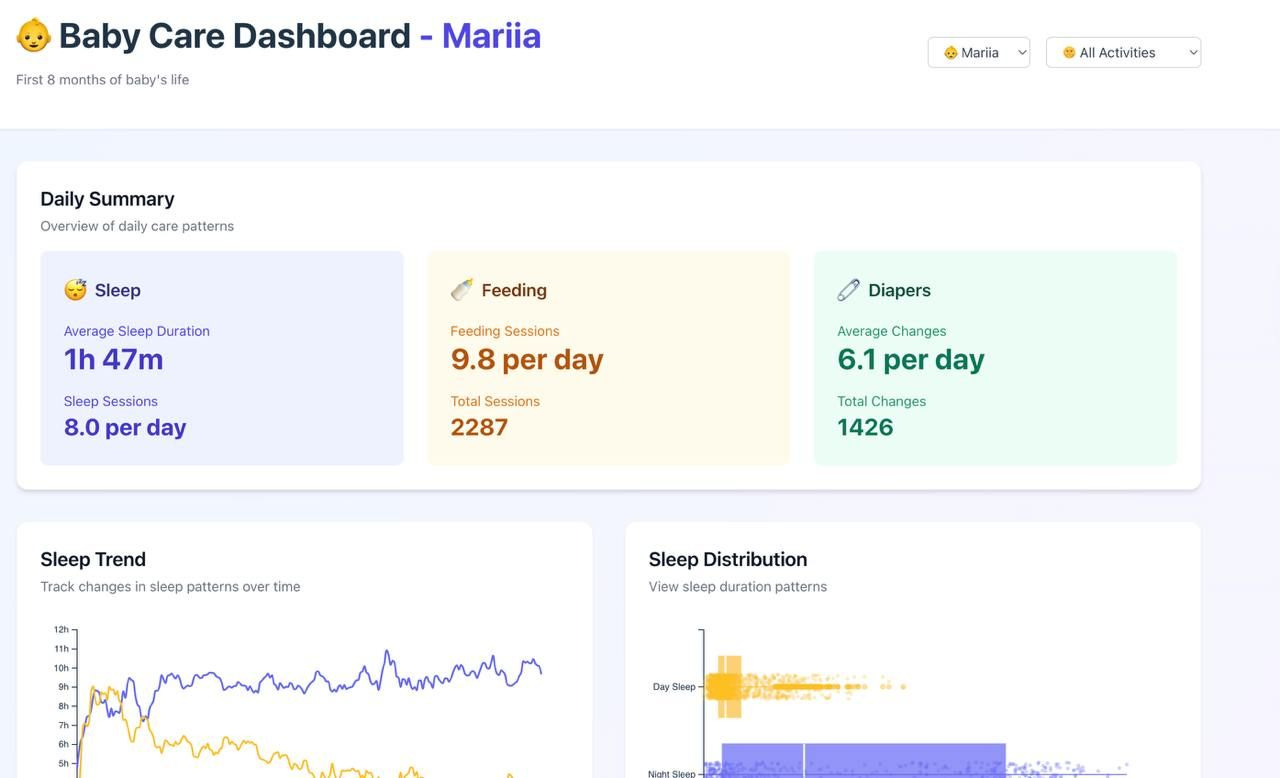
AI handled the scaffolding — boilerplate code, helper functions, visualization setup — so we could focus on the logic and design that actually mattered.
And with Lovable, we took the same approach to front-end work in Valiotti Analytics. Instead of outsourcing a landing page for one of our marketing analytics offers, we built and shipped it ourselves — from prompt to publish — in a fraction of the time. Lovable generated the skeleton, wired up the components, and even handled deploy. We still refined copy, flow, and positioning, but the heavy lifting of setup was gone.
This is the pattern: AI doesn’t replace domain expertise. It won’t define your ICP, your funnel, or your business rules. But it does make iteration lightning-fast. You go from blank screen to first draft in hours, not weeks.
And once you have a draft, the real work — shaping, contextualizing, deciding — can finally begin.
Why most AI features flop
Here’s the mistake product teams keep making: they assume “chat with your X” is the universal answer.
Chat with your data.
Chat with your email.
Chat with your Slack.
Chat with your notes.
Do I really want to chat with my email? No. I want to send fewer of them.
Do I want to chat with Slack? No. I want fewer threads.
Do I want to chat with my notes? Honestly? I’d rather not have to dig through them at all.
The UX doesn’t fit the use case. Conversational interfaces are great for exploration (like in data) but terrible for tasks where you want speed, reliability, and structure.
That’s why most AI features feel gimmicky: they don’t integrate into how people actually work. They create a new step instead of removing one.
Until products find native ways to embed AI — not bolted-on chatbots but actual workflow improvements — adoption will stay shallow.
What’s next for AI in data
The next phase of useful AI won’t be “one big breakthrough.” It’ll be a series of practical wins that make analysts, marketers, and operators faster without forcing them into another UI.
Here’s where I see traction:
Auto-generation of dashboards. Not replacing design, but giving you 80% of the structure instantly so you can refine instead of reinvent.
Automated insights & anomaly detection. Imagine your dashboard tapping you on the shoulder: “CTR just dropped 30% on Campaign A — check it now.”
AI-assisted workflows for analysts. From writing test queries to auto-documenting models, AI will shave hours off grunt work and free humans to focus on strategy.
The winners won’t be the tools shouting the loudest about “AI.” They’ll be the quiet ones that blend in seamlessly. The ones where you only notice the AI in hindsight — because your workflow just felt smoother, faster, less painful.
Final thought
Adding AI isn’t the challenge. Anyone can slap a chatbot on their product and call it innovation.
The real challenge is making AI useful:
Contextual enough to trust.
Embedded enough to use daily.
Actionable enough to change behavior.
Until then, most AI features will feel like stickers. Fun to show off, easy to forget.
But the few that hit? They won’t just be features. They’ll be the backbone of how teams work.
Weekly Roundup
Every week I highlight posts that slice through the noise of “AI hype” — reminding us that the future isn’t chatbots bolted onto every tool, but AI grounded in workflows, data, and design that actually drive decisions. This week’s theme: useful > shiny.
1 — “Dashboards are not dead.”
[Read the post →]
Shachar pushes back on the hot take that conversational AI will replace dashboards. He makes a critical point: dashboards aren’t random collections of charts, they’re structured journeys through information. Chat interfaces assume users know exactly what they want and how to phrase it — but in practice, they often don’t. The takeaway? Dashboards and AI are complementary, not substitutes.
2 — “Stop chasing complexity, start fixing workflows.”
[Read the post →]
Nikolas shares a brutal but accurate observation: companies burn millions on “AI transformation” while their real bottlenecks are spreadsheets, manual processes, and meetings. He calls it statistical plumbing — the boring automation that compounds value, while over-engineered AI collapses under its own weight. A reminder that usefulness lives in workflows, not in buzzwords.
3 — “95% of AI initiatives show zero return.”
[Read the post →]
MIT confirms what many of us already see in the field: most AI projects flop because they’re hype-first, strategy-later. Just like digital transformation before it, skipping data foundations and business context leads to failure. AI is powerful, but without clear definitions, clean data, and strategic alignment, it’s just another expensive sticker.
That’s it for this week
When it comes to AI, remember:
Flashy features win TechCrunch writeups.
Useful ones win adoption.
Until next time —
Nick from Valiotti Analytics